Which backup can I trust?
The copy on your laptop doesn’t match the shared drive. Before you can use either one, you have to ask the last shift which file they saved and why.
IOFabrik keeps a history of your PLC backups. Compare ladder logic, restore earlier versions, and share changes through GitHub.
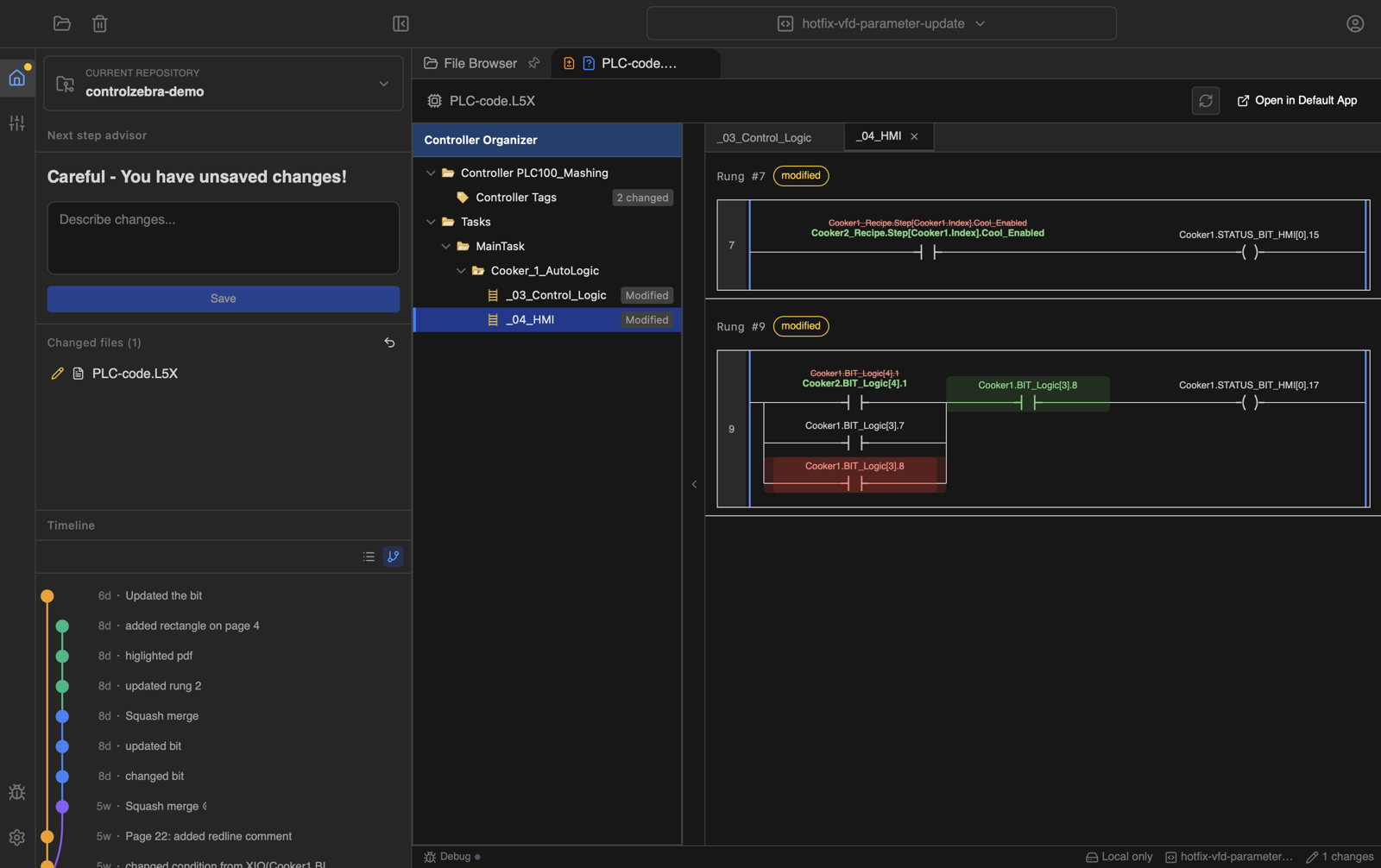
A folder of project files leaves the next person to piece together what changed, who changed it, and which copy to use.
Conveyor_final.ACDConveyor_final_v2.ACDConveyor_USE_THIS.ACDThe copy on your laptop doesn’t match the shared drive. Before you can use either one, you have to ask the last shift which file they saved and why.
A text comparison flags differences between two L5X files. You still have to trace those differences back to the ladder logic to understand what the edit does.
Git can keep a history, but its tools expect you to know about staging, branches, and merges. That’s a lot to take on when you just need to save your PLC work.
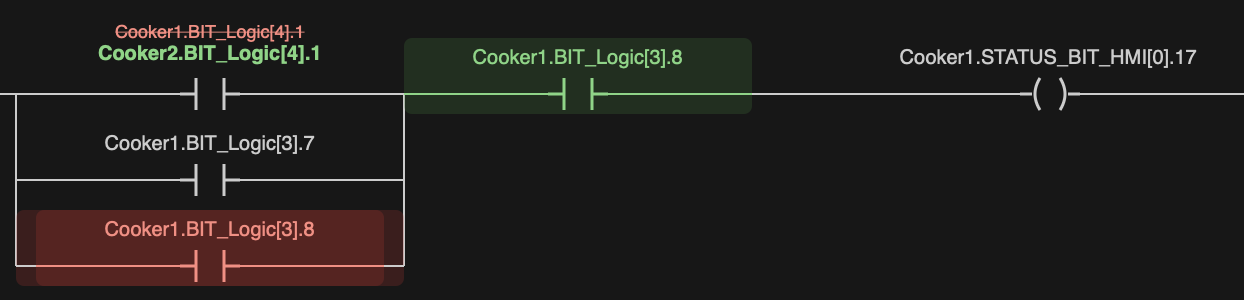
Compare two L5X versions side by side. See added, removed, and modified instructions in the ladder diagram, with the surrounding rungs for context.
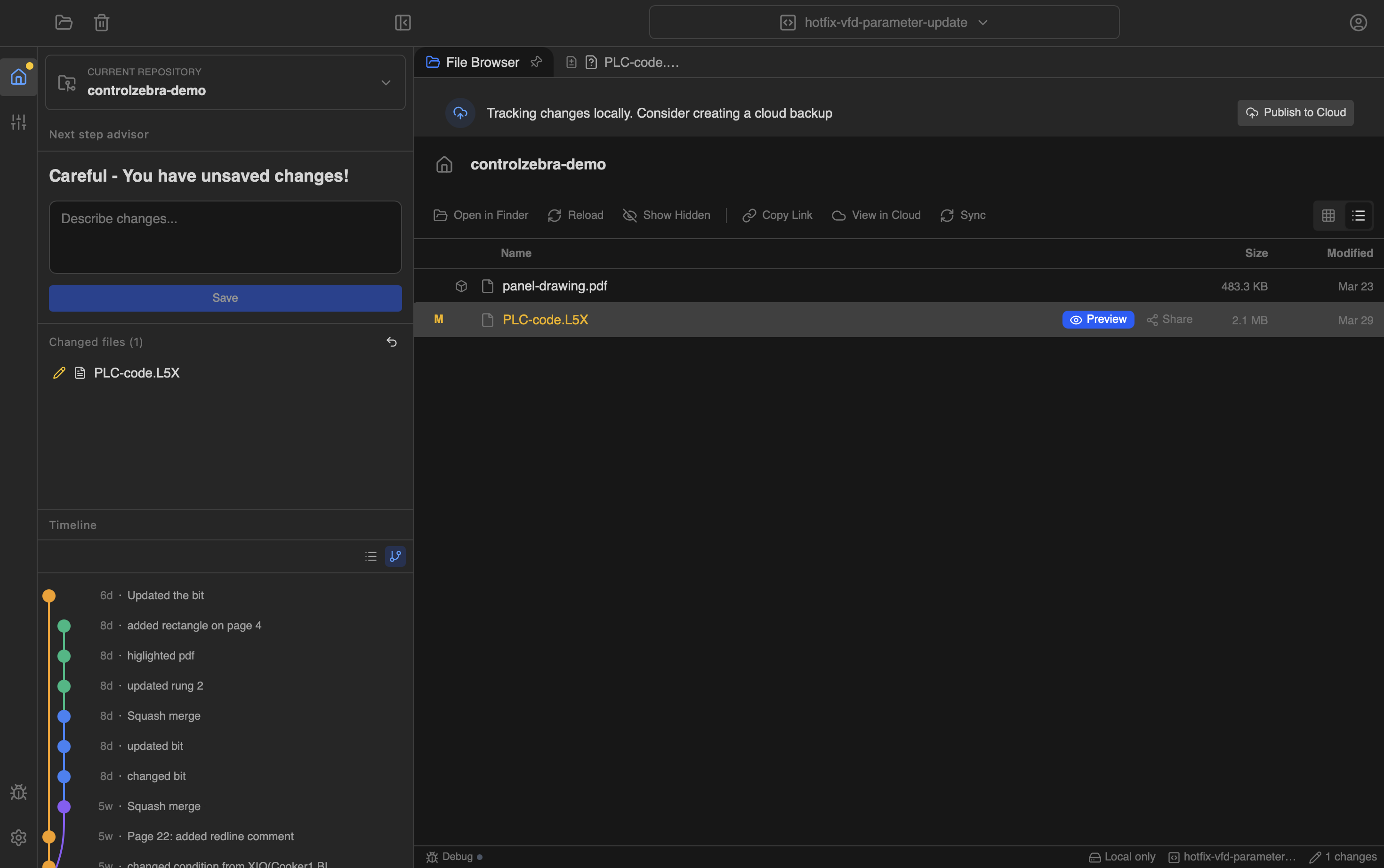
Browse your PLC files, preview changes, and save a version from the desktop app. Keep the folders you already use.
Save a version before commissioning, record what you changed, and share it when you are ready.
Keep project history in your team's repository.
Return to a saved version when you need to undo a change.
Save changes in the field and sync when you are back on the network.
Review changes against the approved version before they go to the plant floor.
Save a version before commissioning and keep a record of the adjustments you make on site.
Check who changed a project and when, without chasing backups across shared folders.
Download IOFabrik for Windows and save your first project version.
Download IOFabrik